
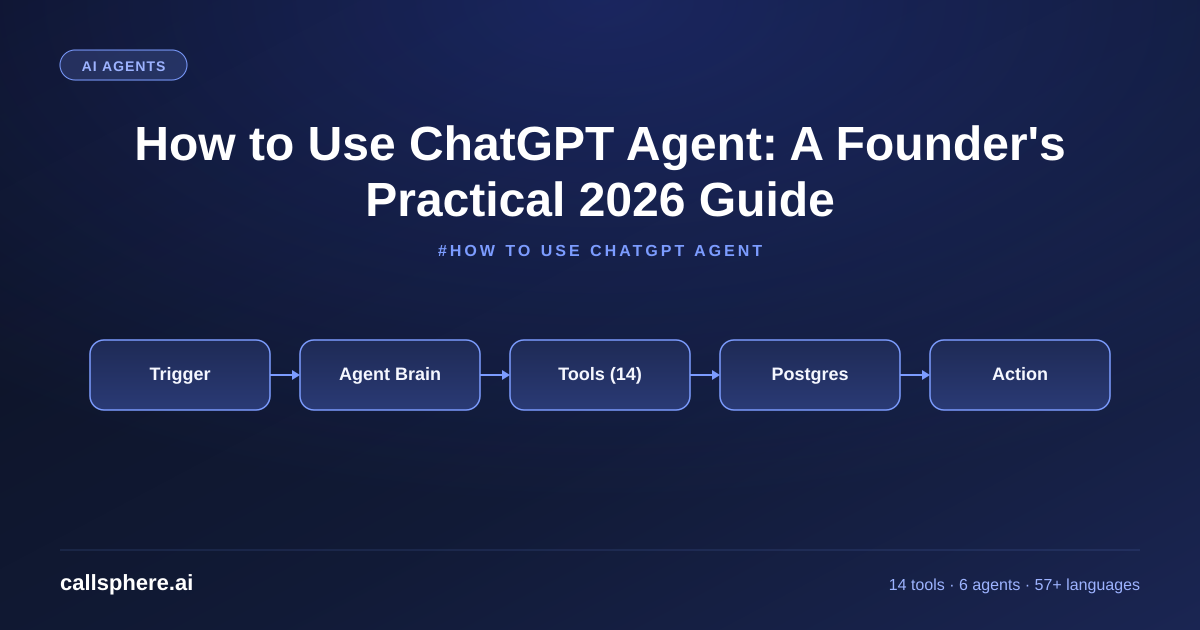
How to Use ChatGPT Agent: A Founder's Practical 2026 Guide
How to use ChatGPT Agent in real business workflows — what agent mode does, how to access it, and where it falls short for production voice.
TL;DR
- ChatGPT Agent is OpenAI's agentic mode inside ChatGPT — it browses, runs code, and chains tools without your supervision.
- Access it through ChatGPT Plus, Team, or Enterprise on chat.openai.com or the apps.
- Best for one-off research, data extraction, light automation. Not built for production voice phone agents.
- For voice agents in production, I built CallSphere — 6 verticals, 57+ languages, 3–5 day deployment.
This is part of our Customer Service Representative pillar guide.
How to use ChatGPT Agent — the short version
If you have a ChatGPT Plus, Team, or Enterprise subscription, here is how to use ChatGPT Agent in under 2 minutes:
- Open chat.openai.com (or the iOS/Android/macOS app).
- Start a new chat.
- In the model picker (top of the chat window), select an agentic option — labeled "Agent mode" or similar depending on the UI version on the day you read this.
- Give it a task with a clear outcome: "Find the 5 lowest-cost cloud VoIP providers under $50/mo and put them in a table with features and price."
- Watch it browse, search, click, and synthesize. You can intervene at any point.
The first time you run an agent task, expect 30 seconds to 8 minutes of execution depending on complexity. Agent runs are slower than chat, but they do real work end-to-end.
What is ChatGPT Agent?
ChatGPT Agent is OpenAI's productized agentic capability inside the ChatGPT product. It is not the API. It is the version of ChatGPT that can take multi-step actions — browse the web, click links, fill forms, run Python in a sandbox, read files, and chain those operations toward a goal you specified in natural language.
The key distinction:
- ChatGPT (chat mode) — one-shot or short multi-turn conversation. You ask, it answers. No autonomous action.
- ChatGPT Agent (agent mode) — you give it a task, it executes a plan, takes actions on your behalf, and reports back when done.
Under the hood it uses the same GPT-5 family of models, but with tool access (browser, code interpreter, file I/O) and a planning loop wrapped around the model.
How to access ChatGPT Agent
Three paths:
- ChatGPT Plus ($20/mo) — agent mode is included for consumer accounts.
- ChatGPT Team ($25/mo per seat) — team accounts, includes agent mode with admin controls.
- ChatGPT Enterprise (custom) — enterprise with SSO, audit, and data governance.
You access it from the model picker inside any ChatGPT session. There is no separate URL, no separate SDK, and no API key in the consumer surface. (For API-level agentic capabilities, look at the OpenAI Agents SDK or the Responses API — different product.)
Hear it before you finish reading
Talk to a live CallSphere AI voice agent in your browser — 60 seconds, no signup.
If you do not see agent mode in your picker, check:
- Your subscription tier (Free does not include it).
- Your region (some regions roll out features later).
- Your model version (older Plus accounts may need to opt into the newer model family).
What does agent mode do in ChatGPT?
Agent mode does five concrete things that base ChatGPT does not:
- Browses the web in real time. It can navigate sites, click links, fill in search boxes, and read what it finds.
- Executes code in a sandbox. It runs Python, pandas, matplotlib, and a curated set of libraries on small data files.
- Reads and writes files. Upload a spreadsheet, PDF, image, or document, and it can extract, transform, and produce output files.
- Chains operations. It plans a multi-step task, executes each step, and adjusts when something fails.
- Asks for clarification when the task is ambiguous, rather than guessing.
What it does not do well in 2026:
- Real-time voice phone calls (it is not designed for streaming audio).
- Long-running production workflows (it is a one-shot session, not a daemon).
- Tasks requiring authenticated access to your internal systems (no native CRM, EHR, or POS integration).
- High-volume operational work where per-task latency matters.
Practical use cases that actually work
After three months of using ChatGPT Agent across founder tasks, the patterns that pay back:
- Research with synthesis. "Find the 10 most-cited papers on prompt caching from 2025 and summarize the main findings." Saves 2–4 hours of tab-juggling.
- Data extraction from PDFs. "Pull the line items from these 12 invoice PDFs into a CSV."
- Competitive intelligence. "Build a comparison table of pricing, features, and recent funding rounds for 8 named competitors."
- Light spreadsheet automation. "Clean this CSV, dedupe by email, and tag rows that look like B2B vs B2C."
- Repeated one-off content tasks. "Rewrite these 20 product descriptions in our brand voice."
What does not work well: anything that needs to talk to a real customer, take a real-time action against a database, or run as a persistent service.
How CallSphere does this in production for voice
ChatGPT Agent is a great founder tool. It is not a production voice agent platform. The architectural difference matters.
CallSphere is a managed AI voice and chat agent platform purpose-built for production:
- 6 live agents — healthcare, real estate, sales, salon, after-hours, hotel.
- ~14 function tools wired to real systems — appointment booking, CRM lookup, payment hand-off, ticket creation, SMS triggers, calendar reads, escalation routing, address verification, insurance lookup, lead scoring, callback scheduling, language detection, transcript redaction, ticket dispatch.
- 20+ Postgres tables for persistent state across calls.
- 57+ languages with natural voice accents.
- GPT-Realtime-2 at 128K context with prompt caching for sub-second voice response.
- WebRTC + SIP/VoIP so the agent rides on real phone numbers, not browser windows.
- 3–5 business day deployment to live customer calls.
Pricing: Starter $149/mo (2,000 interactions), Growth $499/mo (10,000), Scale $1,499/mo (50,000). 14-day free trial.
ChatGPT Agent is for you, the founder, getting research and one-off tasks done. CallSphere is for your phone line, taking customer calls every day.
A real example walk-through
I used ChatGPT Agent yesterday to research B2A (business-to-AI) consent and disclosure standards across 6 jurisdictions for an upcoming CallSphere compliance update. The agent:
Still reading? Stop comparing — try CallSphere live.
CallSphere ships complete AI voice agents per industry — 14 tools for healthcare, 10 agents for real estate, 4 specialists for salons. See how it actually handles a call before you book a demo.
- Navigated to the FTC, FCC, GDPR, UK ICO, California AG, and Australia OAIC websites.
- Pulled the latest guidance documents (some from 2025–2026).
- Synthesized a 1,400-word comparison table.
- Flagged 3 jurisdictions where the rules were updated within the last 90 days.
Total time: about 11 minutes. Equivalent human research time: 4–6 hours. Cost: included in my $25/mo Team subscription.
That is the right use case. Now compare: if I had asked it to "answer my company's customer calls in real time tomorrow," it would not be the right tool. The agent mode is a research and one-off action engine, not a voice runtime.
Pricing and how to try the right tool for your job
- ChatGPT Plus / Team / Enterprise for personal and team research, automation, content tasks.
- CallSphere for production voice and chat agents on your business phone.
CallSphere pricing:
- Starter — $149/mo, 2,000 interactions, 1 agent.
- Growth — $499/mo, 10,000 interactions, all 6 agents.
- Scale — $1,499/mo, 50,000 interactions.
- Free trial — 14 days, no card.
Frequently asked questions
What is ChatGPT Agent and how is it different from ChatGPT? ChatGPT Agent is OpenAI's agentic mode inside ChatGPT — it autonomously plans and executes multi-step tasks (browsing, code, file I/O) rather than just answering questions. Regular ChatGPT responds; ChatGPT Agent acts. Both use the same underlying model family in 2026, but agent mode wraps the model in a planning loop and tool access. It runs inside chat.openai.com or the ChatGPT apps, not via a separate URL.
How do I access ChatGPT Agent if I am on the free tier? You cannot. ChatGPT Agent requires a paid subscription — Plus ($20/mo), Team ($25/mo per seat), or Enterprise. There is no free agent tier. Free users can use the regular chat interface but not the agentic mode. If you need agentic behavior on a budget, look at the OpenAI Agents SDK with a pay-as-you-go API key, but that requires writing code.
What does agent mode do in ChatGPT that I cannot do in normal chat? Agent mode does five things normal chat cannot: live web browsing, sandboxed code execution, file I/O, multi-step planning, and autonomous task completion. In normal chat, you ask "summarize the top 10 cloud VoIP providers" and you get a model-knowledge answer. In agent mode, the same prompt triggers a live browse-and-synthesize task that returns current information with sources.
Is ChatGPT Agent the same as the OpenAI Agents SDK? No. ChatGPT Agent is the consumer feature inside the ChatGPT product. The OpenAI Agents SDK is a developer library for building your own agents via the API. Different audiences, different pricing models, different integration patterns. CallSphere uses the SDK (and other runtimes) under the hood; end users see CallSphere, not the SDK.
Can ChatGPT Agent run my customer service phone line? No. ChatGPT Agent is not designed for real-time streaming voice, persistent customer state, or telephony integration. It is a session-based research and task tool. For phone customer service, you need a purpose-built voice agent platform — CallSphere is built exactly for this, with 6 live verticals, 57+ languages, and 3–5 day deployment.
How long does ChatGPT Agent take to complete a task? Typical task runs are 30 seconds to 10 minutes depending on complexity. Research tasks involving 10+ websites can hit 15–20 minutes. The agent shows progress as it works, and you can interrupt or redirect at any point.
What are the privacy implications of using ChatGPT Agent? On Plus and Team plans, conversations are used for training unless you opt out in settings. On Enterprise, training is off by default. Agent mode also accesses external websites — anything the agent does on your behalf (form fills, account access) hits those sites with OpenAI's IPs and user agents, not yours. Read the data policy for your tier before using agent mode for sensitive tasks.
When should I use ChatGPT Agent vs build my own? Use ChatGPT Agent for personal productivity, research, and one-off tasks. Build your own (via the OpenAI Agents SDK or a platform like CallSphere) when you need: persistent state, real-time channels (voice, SMS), tight integration with your internal systems, custom domain logic, or production SLA.
Related reading
Try CallSphere AI Voice Agents
See how AI voice agents work for your industry. Live demo available -- no signup required.