
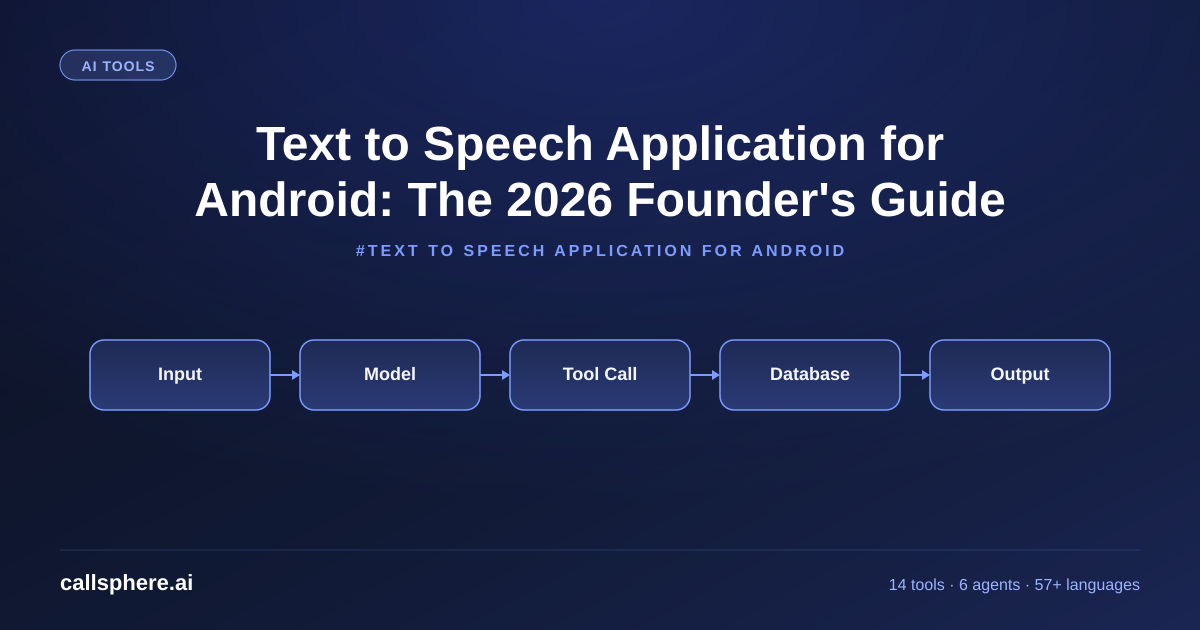
Text to Speech Application for Android: The 2026 Founder's Guide
Pick the best text to speech application for Android in 2026, then learn why business phones need a real AI voice agent. CallSphere free 14-day trial.
TL;DR
- A text to speech application for Android in 2026 is for accessibility, reading, and content consumption — not for business phone agents.
- The best Android TTS apps: Speechify, NaturalReader, Voice Aloud Reader, plus the built-in Google TTS engine.
- If you need TTS for a business phone (answer calls, book appointments), you need an AI voice agent like CallSphere, not a TTS app.
- Starter $149/mo · 14-day free trial.
This is part of our Best Text to Speech App guide.
The core answer: what is the best text to speech application for Android?
A text to speech application for Android is software that reads typed or copied text aloud on your phone — for accessibility, dyslexia support, multitasking, or content consumption. I get asked about Android TTS apps a lot at CallSphere because the keywords overlap with business voice AI. They are different categories, but the underlying tech is related, so here is the honest map:
For pure on-device reading on Android, my picks in order:
- Speechify — best UI, ~30 voices, $11.58/mo.
- NaturalReader — best free tier, solid voices, $9.99/mo for premium.
- Voice Aloud Reader — free, ads, good for casual use.
- @Voice Aloud Reader — solid book and article reader.
- Google TTS (built-in) — free, decent neural voices since 2024.
If you are a business owner reading "text to speech application for Android" because you want your business phone to talk to customers, you do not want a TTS app — you want a phone agent. That is a different product, and I will explain below.
What makes good text to speech software in 2026?
Good text to speech software has four properties: neural voices that do not sound robotic, fast offline rendering, broad format support (PDF, ePub, web pages, plain text), and multi-language coverage. The 2026 baseline is neural — anything still using the old concatenative voices (Festival, eSpeak) is a 2010 product.
For business use, the bar moves higher: under-800ms latency, interrupt handling, conversation memory, and tool use. None of those matter for a reading app; all of them matter for a phone agent. CallSphere runs at ~620ms first-token median with 14 function tools — that is the business voice category.
Is text to speech good for dyslexia?
Text to speech for dyslexia is well-studied and effective. Major dyslexia organizations recommend pairing TTS with text highlighting so the reader sees and hears simultaneously. On Android, Speechify and NaturalReader both offer synchronized highlight. Voice Dream Reader (iOS-only) is the gold standard but unavailable on Android.
Hear it before you finish reading
Talk to a live CallSphere AI voice agent in your browser — 60 seconds, no signup.
For students, Speechify offers a free education tier that is worth looking at. The dyslexia use case is genuinely served by current Android TTS apps — you do not need anything more sophisticated.
How does text to speech on iPad compare to Android?
Text to speech iPad typically gives you slightly better voice quality (Apple's neural voices have edge cases) and access to Voice Dream Reader, which is the most powerful TTS reading app on any platform. Android catches up on flexibility (sideloading, more voice engines, integration with non-Google services). For pure reading: iPad has a small lead. For everything else: Android is fine.
This is not where business buyers should focus. If you want TTS as a feature of your business phone, neither Android nor iPad apps will help — you want a hosted AI voice platform.
How CallSphere does this in production
CallSphere is not a TTS app. We are an AI voice agent platform — the category one level up from TTS. Here is the difference:
- TTS app: Text in → audio out. One-way. No conversation. No memory. No tools.
- CallSphere: Phone call in → multi-turn conversation → tool calls → outcome (booked appointment, qualified lead, escalated ticket). 6 verticals, 14 function tools, 57+ languages, 20+ Postgres tables.
The underlying neural voice synthesis on both is similar quality. The difference is everything around it: turn-taking, interrupt handling, function-call orchestration, RAG over your knowledge base, CRM integration.
If you searched "text to speech application for Android" because you want to embed TTS in your own Android app, look at Google Cloud Text-to-Speech API or ElevenLabs. If you searched it because you want your business phone to talk to customers, you want CallSphere.
A real example walk-through
A small dental practice in Sacramento installed a TTS app on the receptionist's Android tablet so they could have the system "read out" patient names from a list. It worked for that narrow use, but they kept missing after-hours calls. Six months later they switched to CallSphere's healthcare agent for after-hours coverage:
- After-hours bookings captured: 84/mo (was 0 — went to voicemail).
- Spanish-speaking patient bookings: up 6x (the TTS app was English-only; CallSphere covers 57+ languages).
- TTS app: kept for the front-desk read-out use case. Different problem, different tool.
The lesson: the right TTS-adjacent tool depends on whether the user is reading text or holding a conversation.
Pricing & how to try it
CallSphere is for business voice, not personal reading. Pricing:
Still reading? Stop comparing — try CallSphere live.
CallSphere ships complete AI voice agents per industry — 14 tools for healthcare, 10 agents for real estate, 4 specialists for salons. See how it actually handles a call before you book a demo.
- Starter — $149/mo: 2,000 interactions, 3 agents, 57+ languages.
- Growth — $499/mo: 10,000 interactions, all 6 verticals.
- Scale — $1,499/mo: 50,000 interactions, HIPAA BAA.
- 14-day free trial, no card.
For Android TTS apps, all of the ones I recommended above have free tiers — try them on the Play Store first.
Start your 14-day free trial →
Frequently asked questions
What is the best free text to speech application for Android? NaturalReader free tier and the built-in Google TTS engine are both solid. Voice Aloud Reader is fully free with ads. Speechify has a limited free tier. For most casual use, free options are enough.
Is there a good text to speech software for reading books on Android? Speechify and Voice Dream Reader (iOS only) are the leaders. On Android, Speechify and @Voice Aloud Reader handle ePub and PDF well. Set the speed to 1.5x and most users find it comfortable.
Is text to speech for dyslexia clinically supported? Yes — large bodies of research support TTS as an effective dyslexia accommodation, especially when combined with text highlighting. Most modern Android TTS apps support synced highlighting.
Can I use text to speech on iPad instead of Android? Yes, and Voice Dream Reader is iPad-exclusive and excellent. Apple's built-in Speak Screen also works well. iPad TTS is slightly better in voice variety; Android is more flexible in integration.
Why can't I use a TTS app for my business phone? TTS apps are one-way (text → audio). A business phone needs two-way (caller speaks, system responds, with memory across turns, tool calls, and interruption handling). Different category. CallSphere is the right tool for business phones.
What is the cheapest text to speech application for Android with neural voices? Google TTS is free and ships neural voices since 2024. NaturalReader free tier also includes some neural voices. Paid tiers start around $7–$12/mo for unlocked premium voices.
Does Speechify work offline on Android? Yes — Speechify offers offline mode on paid tiers. Most other Android TTS apps require internet for premium voices. The built-in Google TTS engine works offline with downloaded voice packs.
How is CallSphere different from a text to speech application for Android? CallSphere is a hosted AI voice agent platform for business phones — answers calls, holds conversations, books appointments, integrates with your CRM. Android TTS apps read text aloud on your phone for personal use. Completely different products. See the demo →
Related reading
Try CallSphere AI Voice Agents
See how AI voice agents work for your industry. Live demo available -- no signup required.