
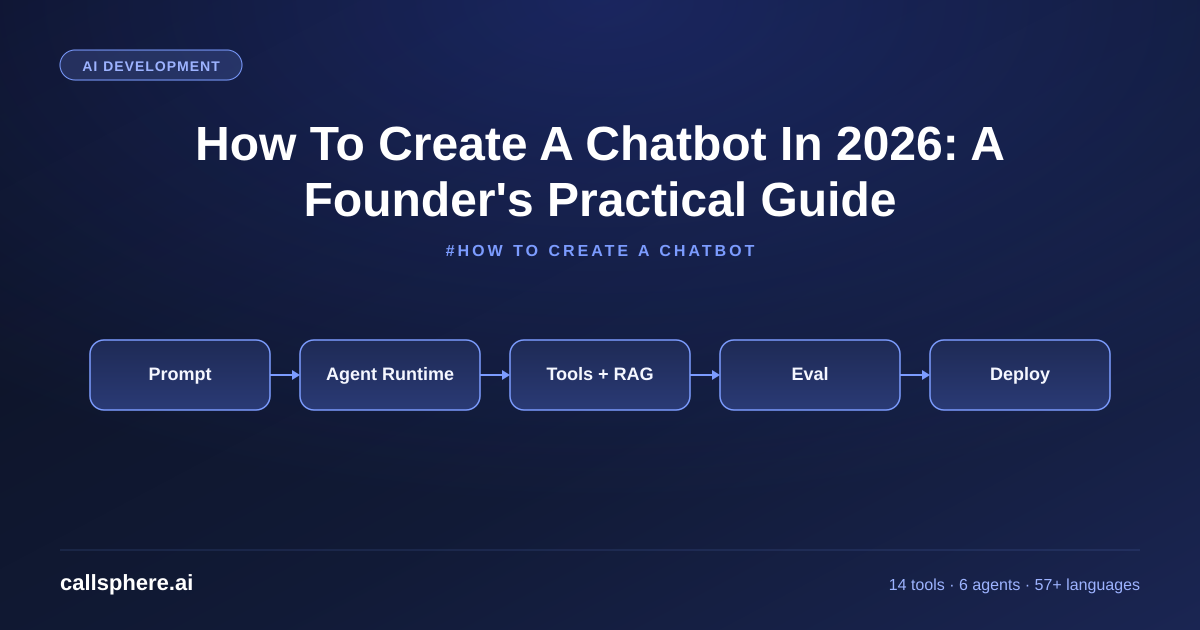
How To Create A Chatbot In 2026: A Founder's Practical Guide
A founder's guide on how to create a chatbot in 2026. Build options, AI stack, integration patterns, and when buying a managed agent wins over building.
TL;DR
- Three paths to create a chatbot in 2026: no-code builder, custom build on LLM APIs, or buy a managed conversational AI agent.
- For most businesses, a managed AI agent (CallSphere) goes live in 3–5 business days vs 1–3 months for a custom build.
- Building from scratch makes sense if conversational AI is your product, not your channel.
- CallSphere pricing: Starter $149/mo, Growth $499/mo, Scale $1,499/mo across voice, chat, SMS, and WhatsApp.
This is part of our Build Your Own Generative AI Chatbot guide.
How do I create a chatbot in 2026?
There are three real paths in 2026 to create a chatbot, and the right one depends on what you are optimizing for.
I am Sagar Shankaran, founder of CallSphere. We ship AI voice and chat agents across 6 live verticals. I have built every variant of chatbot personally — no-code, custom Python on the OpenAI API, and managed platform — so this post is from experience, not vendor positioning.
The three paths:
- No-code chatbot builder (Intercom Fin, Tidio, Drift, ManyChat, Voiceflow, Botpress). 1–3 days to live, low ceiling, fine for simple FAQ bots.
- Custom build on LLM APIs (OpenAI, Anthropic, plus a vector store and a frontend). 1–3 months for a small team, full control, ongoing ops cost.
- Managed conversational AI platform (CallSphere). 3–5 business days to live, multi-channel (voice/chat/SMS/WhatsApp), pre-built integrations, predictable pricing.
For 80% of businesses, path 3 is the right answer because conversational AI is a channel, not the product. For the other 20% (AI infra startups, deep custom requirements), path 2 is correct. Path 1 is fine for a basic FAQ on a landing page, not for revenue-bearing flows.
How to build a chatbot from scratch on LLM APIs
If you want path 2 — the custom build — the 2026 stack typically looks like:
- LLM: OpenAI GPT-5 or GPT-Realtime-2 for voice, Anthropic Claude, or open-weights if you self-host.
- Vector store + embeddings: pgvector in Postgres, Pinecone, Weaviate, or Qdrant.
- Conversation memory: Postgres tables for thread, message, and context state.
- Function tools: typed function definitions in JSON Schema, called by the LLM during a turn.
- Channel: web chat widget (React or vanilla), or wire into Slack, Discord, WhatsApp via their APIs.
- Observability: LangSmith, Helicone, or roll your own with Postgres + a UI.
- Auth and rate limits: standard web app concerns.
A solo developer with strong skills can have a working FAQ chatbot in 1–2 weeks. A production-grade chatbot with tool calling, multi-channel support, observability, and a real ops story takes 1–3 months. Then you own the on-call rotation.
CallSphere is that build, finished. We pre-built it across 6 verticals so customers do not have to.
Hear it before you finish reading
Talk to a live CallSphere AI voice agent in your browser — 60 seconds, no signup.
What is the right AI stack for building an AI chatbot in 2026?
Three considerations dominate stack choice:
- Conversation quality and latency. GPT-Realtime-2 is the current leader for voice; GPT-5 and Claude Opus are at the top for chat. Sub-second response is now the user expectation.
- Function tool reliability. Your bot needs to take action — look up a customer, book an appointment, create a ticket. Both OpenAI and Anthropic are strong here in 2026.
- Retrieval quality (RAG). Pgvector in Postgres is the simplest production-ready vector store. Pinecone, Weaviate, Qdrant are managed alternatives. RAG quality matters more than the LLM choice for FAQ accuracy.
CallSphere runs on GPT-Realtime-2 with pgvector RAG and 14 function tools, observable per-conversation, across 57+ languages. The same architecture is available to teams that want to build it themselves — just budget the engineering time.
Try CallSphere free for 14 days →
How CallSphere does this in production
CallSphere is a managed AI voice and chat agent platform. The chatbot side ships across voice, web chat, SMS, and WhatsApp on the same backend.
A typical chat deployment looks like this. Customer signs up, picks one of the 6 vertical agents (or a custom configuration for Growth and Scale tiers). They upload their knowledge base — PDFs, help center articles, internal docs, product specs — and we embed it into pgvector. They wire 2–4 of the 14 function tools to their existing systems: crm_lookup to their CRM, ticket_create to their helpdesk, sms_send for confirmations. They drop our chat widget script into their website.
Conversations then run on GPT-Realtime-2 with 128K context. Sub-800ms response on chat. The bot answers questions using RAG, takes actions using function tools, and escalates to a human via the escalate_to_human tool when needed. Every conversation is logged across our 20+ Postgres tables for audit and analytics.
Go-live takes 3–5 business days for a standard vertical. The biggest time investment is on the customer side: getting the knowledge base clean and giving us API access to existing systems. The engineering on our end is configuration, not custom code.
A real example walk-through
A B2B SaaS company doing $4M ARR wanted a website chatbot to handle pricing and product questions before sales got involved. They were quoted 8 weeks and $40,000 by an agency for a custom build. They evaluated CallSphere instead.
We deployed our chat agent on the Growth tier ($499/mo). We ingested their public docs, pricing page, and security overview into pgvector RAG. We wired the crm_lookup function tool to their HubSpot and ticket_create to their internal Jira. Go-live took 4 business days.
Three months in, the chatbot handled 2,800 conversations. About 62% resolved without ever creating a sales lead — the user's question was answered. The remaining 38% became qualified leads in HubSpot, tagged by intent (pricing, technical, integration) for routing. Sales reported the inbound was 30% higher quality than before because the easy questions were filtered out.
The agency build would have taken 8 weeks; CallSphere took 4 days. The cost difference over the first year was $40,000 vs $5,988 ($499 × 12). The conversion data was identical or better.
Still reading? Stop comparing — try CallSphere live.
CallSphere ships complete AI voice agents per industry — 14 tools for healthcare, 10 agents for real estate, 4 specialists for salons. See how it actually handles a call before you book a demo.
Pricing & how to try it
CallSphere pricing for AI chatbots and voice agents:
- Starter — $149/mo. 2,000 interactions/mo. Single channel.
- Growth — $499/mo. 10,000 interactions/mo. Multi-channel.
- Scale — $1,499/mo. 50,000 interactions/mo. Multi-channel, multi-vertical.
14-day free trial, no credit card. Annual plans save ~15%. All tiers include voice, chat, SMS, WhatsApp, 57+ languages, all 14 function tools, and all 6 vertical agents.
Compare against the typical cost of a custom build: $20,000–$60,000 in development plus $300–$1,500/mo in ongoing LLM, hosting, and ops costs. CallSphere usually pays back in months one or two against the build path.
Frequently asked questions
How to create a chatbot in 2026 without coding? Use a no-code builder like Intercom Fin, Tidio, Drift, ManyChat, or Voiceflow for simple FAQ bots — typically 1–3 days to deploy. For anything that needs to integrate with your CRM, look up customer data, or handle real revenue flows, no-code platforms hit a ceiling fast. The managed alternative (CallSphere) is 3–5 days to live with full integrations.
How long does it take to build a chatbot from scratch? A working FAQ chatbot on OpenAI APIs: 1–2 weeks for a strong solo developer. A production-grade chatbot with tool calling, multi-channel support, observability, and proper ops: 1–3 months for a small team. Then you own the maintenance. Buying a managed platform compresses this to 3–5 business days.
What's the best LLM for an AI chatbot in 2026? For chat: GPT-5 or Claude Opus are at the top. For voice: GPT-Realtime-2. For self-hosted: Llama 3.x or Qwen are strong open-weights. Differences are small enough that integration quality and function tool reliability matter more than the model choice.
Do I need RAG to create a chatbot? For anything that answers from your own knowledge base — product docs, policy, FAQ — yes. Without RAG, the bot hallucinates or refuses. The cleanest 2026 RAG stack is pgvector in Postgres for the index, plus your LLM of choice for generation. CallSphere ships this configured.
Can a chatbot integrate with my CRM and helpdesk? Yes. The integration is via function tools — typed function definitions the LLM can call during a conversation. CallSphere ships 14 function tools across CRM, helpdesk, calendar, SMS, email, and escalation. Custom integrations on Growth and Scale tiers.
How to build a chatbot for WhatsApp? Either build on Meta's WhatsApp Cloud API directly (~1–2 weeks for a custom bot) or use a platform that handles the WhatsApp integration for you. CallSphere ships WhatsApp as a channel on all tiers. Same agent answers on web, SMS, and WhatsApp.
What's the difference between a chatbot and an AI voice agent? Channel. A chatbot lives on web, SMS, WhatsApp. A voice agent lives on phone. The underlying conversation model (GPT-Realtime-2 or similar) can power both. CallSphere ships one platform that does both — same prompt, same tools, same RAG, different channel.
Should I build my own chatbot or buy a managed platform? Build if conversational AI is your product (you sell AI bots to others). Buy if conversational AI is a channel for your real business (you sell other things and want the chat to work). For 80% of businesses, buy. CallSphere is the buy path, with a 14-day free trial.
Related reading
Try CallSphere AI Voice Agents
See how AI voice agents work for your industry. Live demo available -- no signup required.