
Voice Over IP App in 2026: The Operator's Guide
A voice over IP app replaces your landline with internet calling. Here is the 2026 ranking, free vs paid, and where AI voice agents like CallSphere fit.
This is part of our Business Phone Systems guide.
TL;DR
- A voice over IP app routes calls over the internet instead of the legacy phone network — in 2026 it is the default, not the alternative.
- Free voice over IP apps exist (Google Voice for personal, Microsoft Teams free tier, Zoom Phone trial) but business-grade VoIP starts around $15/seat/month.
- AI voice agents like CallSphere sit on top of the VoIP layer — they answer the call after VoIP delivers it.
- AI voice detector free tools have become a sibling category as deepfake calls grow; I cover both.
What is a voice over IP app
A voice over IP app — a VoIP app — is software that places and receives phone calls over the internet instead of the legacy switched telephone network. In 2026, the voice over ip app category includes everything from consumer apps like Google Voice and WhatsApp Calling, to business platforms like RingCentral, 8x8, Dialpad, Zoom Phone, and Microsoft Teams Phone, to developer-facing platforms like Twilio, Vonage, and Plivo.
I am Sagar Shankaran, founder of CallSphere. We are not a VoIP app — we are an AI voice agent platform that sits on top of the VoIP layer. So when a CallSphere customer says "I want my AI agent to answer my number," what is actually happening is: the carrier routes the call over SIP, which is the VoIP protocol underneath most business phone systems, and our agent picks up. That gives me a clear view of where VoIP apps shine and where they stop.
Voice over IP free: what is genuinely free in 2026
The honest answer on voice over ip free options in 2026:
Truly free for personal use: Google Voice (US numbers, free with a Google account), WhatsApp Calling and Telegram Calls (free over the internet, no PSTN), Signal Calls (same), and FaceTime Audio.
Free trials for business VoIP: Microsoft Teams Phone trial, Zoom Phone trial, RingCentral free trial, Dialpad free trial. These let you test before you buy.
Free developer credit: Twilio free trial gives you a small balance to test SIP and programmable voice. Same with Vonage and Plivo.
Self-hostable free: Asterisk and FreeSWITCH are open-source PBX/VoIP servers — free as in software, but you pay in setup, hosting, and maintenance.
A genuinely free, production-grade VoIP for a business calling out to customers all day does not really exist in 2026 because PSTN termination always costs the carrier real money. Anything claiming otherwise is either capped or ad-supported.
Hear it before you finish reading
Talk to a live CallSphere AI voice agent in your browser — 60 seconds, no signup.
Free voice over ip app vs paid: what you give up
The gap between a free voice over ip app and a paid one is mostly about reliability, support, features, and call quality at scale. Free apps usually work fine for one-to-one calls. They fall apart on:
- Heavy call volume (100+ simultaneous calls)
- Call recording and compliance (HIPAA, PCI)
- Multi-line routing and IVR
- API access for integration with CRMs and AI agents
- 24/7 carrier-grade SLAs
For a solo consultant or a side project, Google Voice is fine. For a 12-clinic dental group or a 200-agent real estate brokerage, free is not the answer — you need a business VoIP that integrates with your CRM, and increasingly, with an AI agent on the front end.
Free voice over internet phone for personal use
For free voice over internet phone at home in 2026, the practical options:
Google Voice — free US number, voicemail, SMS, and calling. Best free option for a personal US number. WhatsApp / Signal / Telegram — free voice and video over the internet, but no PSTN number. Microsoft Teams free — free for one-to-one and small-group calls. Zoom free — free for video and audio meetings, paid for phone.
None of these are voice over IP for a business phone line. They are voice over the internet for personal communication. Different problem.
AI voice detector free: the sibling category
I am including this because the search overlap is real — people looking at ai voice detector free tools are often also looking at VoIP apps, because the rise of deepfake voice calls in 2025 and 2026 has put detection in the same mental bucket.
Free AI voice detector tools in 2026 include Resemble AI's detector, Pindrop's consumer-facing test (not the enterprise version), and several research tools from universities. They are useful for one-off checks. For real-time detection on inbound business calls — a bank, a healthcare practice, a fintech — you need a commercial tool like Pindrop Pulse or Hiya. CallSphere itself does not ship a deepfake detector; our agents are the receiver, not the verifier.
If deepfake voice calls are a real risk for your business, plan on a paid commercial detector. The free options are for individual users checking if a single suspicious clip is real.
How CallSphere does this in production
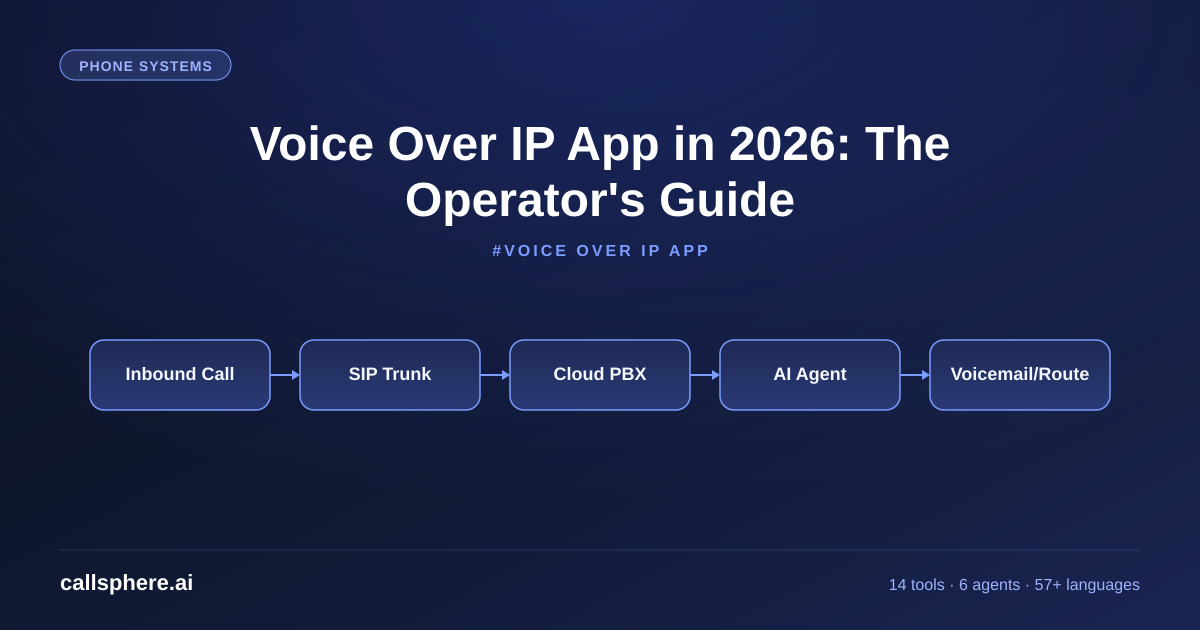
CallSphere is not a voice over IP app — we are the AI agent that sits on top of the VoIP layer. The architecture: a customer ports a number to a carrier of their choice (or buys one through us), the carrier routes inbound calls over SIP to our infrastructure, our agent picks up in under 800ms, and the conversation runs on GPT-Realtime-2 with our tool layer.
For browsers (web-based calls into a chat-then-call flow), we use WebRTC at Opus 48kHz. For PSTN, we use SIP at PCMU 8kHz. The codec choice is invisible to the operator. We support 57+ languages and 14 function tools across six vertical agents.
The CallSphere customer keeps using their existing VoIP provider for outbound calls, internal calls, and human-handled lines. We just handle the AI agent piece. That decoupling — VoIP for transport, CallSphere for AI — is the right shape in 2026.
Still reading? Stop comparing — try CallSphere live.
CallSphere ships complete AI voice agents per industry — 14 tools for healthcare, 10 agents for real estate, 4 specialists for salons. See how it actually handles a call before you book a demo.
A real example walk-through
A 24-agent real estate brokerage in Texas was on RingCentral for their internal VoIP and were paying a separate after-hours answering service $4,200/month. They added a CallSphere real estate voice agent in February to handle after-hours and overflow.
Setup took three business days, mostly on the call-forwarding configuration in RingCentral (forward unanswered and after-hours calls to the CallSphere number). They went live on the $499 Growth tier. First 30 days: 1,800 calls handled outside business hours, 410 qualified leads with structured rows in the leads table, 80 viewing appointments booked. The answering service contract is being canceled.
VoIP stayed where it was. CallSphere added a layer.
Pricing and how to try it
CallSphere is the AI agent layer; you still need a VoIP provider (or carrier) underneath. Our pricing:
- Starter $149/mo — 2,000 interactions.
- Growth $499/mo — popular tier.
- Scale $1,499/mo — 50,000 interactions.
14-day free trial, no credit card. Setup 3 to 5 business days.
Frequently asked questions
What is a voice over IP app? A voice over IP app — a VoIP app — is software that places and receives phone calls over the internet instead of the legacy phone network. In 2026, VoIP is the default for new business phone systems. The category covers consumer apps like Google Voice, business platforms like RingCentral and Zoom Phone, and developer platforms like Twilio. AI voice agents like CallSphere sit on top of the VoIP layer — VoIP delivers the call, the agent answers it.
Is there a free voice over IP app for personal use? Yes — Google Voice for a free US number, WhatsApp/Signal/Telegram for free voice over the internet without a PSTN number, and Microsoft Teams free for small-group calls. For a personal free VoIP setup in the US, Google Voice plus WhatsApp is the most common combo in 2026. For business use, free is mostly a trial; production VoIP starts around $15/seat/month on RingCentral, Zoom Phone, or Dialpad.
What is the best free voice over IP app for business? There is no truly free production VoIP for business calling, because PSTN termination always costs the carrier real money. The best you can do for a small business is a free trial of RingCentral, Zoom Phone, Dialpad, or Microsoft Teams Phone, plus Google Voice for a free secondary line. For real volume, plan on $15 to $30 per seat per month. For an AI agent on top, CallSphere starts at $149/mo Starter.
What is the difference between a voice over IP app and an AI voice agent? A voice over IP app handles the transport layer — placing and receiving calls over the internet using SIP or WebRTC. An AI voice agent like CallSphere handles the conversation layer — answering the call, executing function tools, writing to a CRM, and escalating to a human. They are complementary, not substitutes. Most operators use a VoIP provider for transport and CallSphere for the AI agent.
Is there a free voice over internet phone for home use? For home use in 2026, Google Voice gives you a free US number with voicemail, SMS, and calling. WhatsApp, Signal, and Telegram give you free voice calling to other users of the same app over the internet. Microsoft Teams free covers one-to-one and small-group audio. For most personal use cases, those options cover everything without a phone bill.
What is the best AI voice detector free tool in 2026? Free AI voice detector tools in 2026 include Resemble AI's detector, Pindrop's consumer-facing test, and several university research tools. They are good for one-off checks on suspicious audio clips. For real-time detection on inbound business calls — banks, healthcare, fintech — you need a commercial tool like Pindrop Pulse or Hiya. CallSphere does not ship a deepfake detector; our agents are the receiver of legitimate calls.
Can I use a voice over IP app with CallSphere? Yes — that is the standard setup. You keep your existing VoIP provider (RingCentral, Zoom Phone, Twilio, etc) for transport, internal calls, and outbound, and you forward inbound calls to your CallSphere AI agent for the lines you want automated. Most operators forward after-hours and overflow calls first, then expand. Setup of the forwarding takes minutes once the agent is configured.
Related reading
Try CallSphere AI Voice Agents
See how AI voice agents work for your industry. Live demo available -- no signup required.