
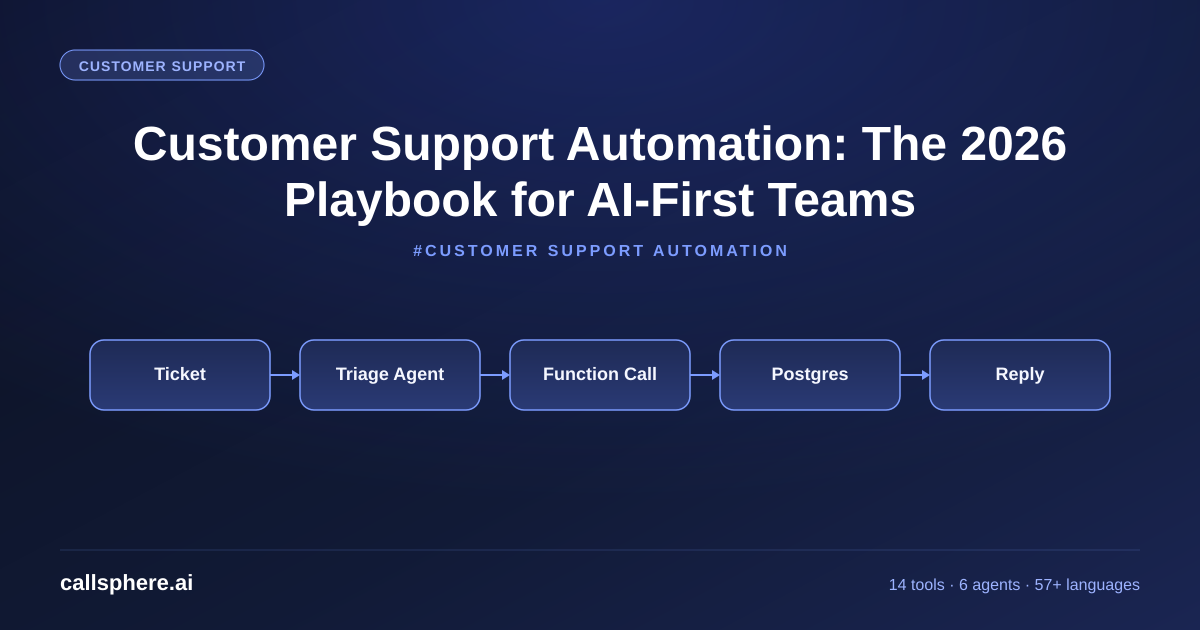
Customer Support Automation: The 2026 Playbook for AI-First Teams
Customer support automation cuts tickets, costs, and response time. Here is the playbook I use at CallSphere — tools, CRM, IT support, $149/mo trial.
TL;DR
- Customer support automation in 2026 means AI voice + chat agents handling the routine 80 percent of tickets while humans focus on the hard 20.
- The right stack pairs an AI agent platform with a CRM for support, ticketing software, and observability.
- CallSphere ships the AI agent layer with 14 function tools, 57+ languages, and a $149/mo entry price.
- A 14-day free trial gets you a working agent in 3 to 5 business days, integrated with your existing help desk.
This is part of our Helpdesk Solutions guide.
What is customer support automation and what changed in 2026
Customer support automation is the practice of using software — increasingly AI — to handle support workflows that used to require humans. The 2026 shift: automation moved from "rules and chatbots" to "AI agents with tools and judgment."
Old automation was a decision tree: "If the ticket contains the word 'refund', tag it 'billing.'" New automation is an AI agent that reads the ticket, pulls the order from the CRM, decides whether the refund policy applies, processes the refund or escalates with reasoning, and writes the full audit trail back. The judgment moved from humans to the model.
At CallSphere I built this around 6 live agents, 14 function tools, and 57+ languages. Customers go live in 3 to 5 business days.
How does it differ from old-school IT customer support tools
It customer support historically meant a ticketing system (Jira Service Management, ServiceNow, Zendesk) plus a knowledge base and a human team. Automation was rule-based routing and SLA timers.
In 2026, the same tools are still there — but on top sits an AI agent that triages, resolves, or escalates the ticket before a human sees it. For IT specifically, the agent can run diagnostics through function tools (check_user_account, reset_password, run_status_query) and resolve the ticket in one turn for the 60 to 80 percent of issues that are routine. The CallSphere IT helpdesk agent is one of our 6 live verticals.
What does CRM for customer support look like with AI in the loop
A crm for customer support in 2026 is the system of record — Salesforce Service Cloud, HubSpot Service Hub, Zendesk, Intercom, Freshdesk. AI agents do not replace it; they write to it. Every interaction CallSphere handles writes a structured record back to the CRM: ticket created, ticket resolved, escalation triggered, customer satisfaction captured.
Hear it before you finish reading
Talk to a live CallSphere AI voice agent in your browser — 60 seconds, no signup.
The pattern I always recommend: the AI is the conversational layer, the CRM is the source of truth. Do not let the AI invent its own customer record. Always pull from the CRM at the start of the conversation and write back at the end.
What customer support management software should I pair with AI
Customer support management software is the broader category — anything that helps a support team manage workload, SLAs, and outcomes. The right pairing for AI agents:
- Ticketing: Zendesk, Intercom, Freshdesk, HubSpot Service Hub.
- CRM: Salesforce, HubSpot CRM, Pipedrive.
- AI agent platform: CallSphere for voice, chat, SMS, WhatsApp.
- Observability: Built into the AI platform; CallSphere exposes this in /admin/gtm.
- Knowledge base: Notion, Guru, Document360, or vendor-native KBs.
The wrong pairing is "an AI bot on Intercom plus a separate AI bot on the phone line." That fragments customer context. Pick a platform that handles all channels with one record.
How CallSphere does this in production
CallSphere is a managed AI voice and chat agent platform with customer support automation built in. The concrete shape:
- 6 live agents: healthcare, real estate, sales, salon booking, after-hours escalation, hotel concierge. The after-hours and helpdesk agents are tuned for support workflows.
- 14 function tools:
ticket_lookup,ticket_create,refund_initiate,escalate_to_human,send_sms,crm_write,knowledge_search, and more. - 20+ Postgres tables:
tickets,interactions,tool_calls,transcripts,csat,crm_mirror. - Channels: Voice (WebRTC + SIP), chat (embeddable widget), SMS, WhatsApp.
- Model: GPT-Realtime-2, 128K context, $0.40 per 1M cached input.
- Languages: 57+ with natural accents.
- Integrations: Zendesk, Intercom, Freshdesk, HubSpot, Salesforce — both read and write.
- Setup time: 3 to 5 business days, including CRM mapping.
The result: an AI layer that takes 60 to 85 percent of routine support tickets to resolution without a human, with full transcript and audit trail.
A real example walk-through
A 40-person SaaS company with a 6-person support team was drowning in routine tickets — password resets, billing questions, "how do I do X." Their Zendesk queue averaged 280 open tickets at any time, with response SLA breached on 18 percent.
They turned on CallSphere chat + voice agents on Growth tier ($499/mo), wired into their Zendesk via the API. The agent handles 73 percent of inbound tickets to resolution (password resets, billing lookups, basic how-to), escalates 19 percent with structured context, and routes 8 percent directly to engineering for bug reports.
Three months in, open ticket queue dropped to 60 tickets, SLA breach rate fell to 2 percent, and the 6-person team handles 2.3x more "real" tickets per week because the routine load is gone. Cost: $499/mo CallSphere vs the estimated $11,000/mo of adding two more support hires.
Pricing and how to try it
CallSphere is $149/mo Starter (2,000 interactions, voice + chat), $499/mo Growth (10,000 interactions, all channels, most popular), $1,499/mo Scale (50,000 interactions, custom CRM mapping). Annual saves roughly 15 percent. 14-day free trial, no card required. Setup is 3 to 5 business days.
Still reading? Stop comparing — try CallSphere live.
CallSphere ships complete AI voice agents per industry — 14 tools for healthcare, 10 agents for real estate, 4 specialists for salons. See how it actually handles a call before you book a demo.
See pricing and start a trial →
Frequently asked questions
What is customer support automation actually capable of in 2026? For routine work — password resets, account lookups, billing questions, FAQ, status checks, simple bookings — modern AI agents resolve 60 to 85 percent of tickets without a human. For complex work — multi-system troubleshooting, emotional escalations, compliance-sensitive issues — agents triage and escalate with structured context. The pattern is "AI for routine, human for hard."
How does ai customer support handle escalations? A well-built agent recognizes ambiguity, frustration, or compliance triggers and escalates with structured context: a 3-sentence summary, the relevant CRM record link, and the suggested next action. At CallSphere this is one of our 14 function tools. The human picks up where the AI left off, not from scratch.
Can I use it customer support automation without changing my ticketing system? Yes. CallSphere integrates with Zendesk, Intercom, Freshdesk, HubSpot Service Hub, and Salesforce Service Cloud via API. Your team keeps the ticketing UI they know; the AI agent layer reads and writes through the API.
What is the right crm for customer support if I am adding AI? The CRM you already use is usually the right one — Salesforce, HubSpot, Pipedrive, or a vertical-specific tool. The AI agent should adapt to your CRM, not the other way around. CallSphere supports the major CRMs out of the box.
Is customer support management software still necessary with AI agents? Yes. The AI is the conversational layer; the management software is the workflow, SLA, and reporting layer. They are complementary. A team running AI agents without management software loses visibility into queue health and trend analysis.
How fast can I deploy customer support automation? At CallSphere, 3 to 5 business days for a fully integrated agent on Starter or Growth tier. The slowest piece is usually getting the API keys for your CRM and ticketing system, not the AI itself.
How much does customer support automation cost? At CallSphere: $149/mo to $1,499/mo depending on volume. Compare to the loaded cost of a single support hire ($55,000 to $90,000/year in the US), and the math is obvious for any team handling more than 500 tickets/month.
Does customer support automation work in 57+ languages? Yes. CallSphere ships 57+ languages with natural accents across voice, chat, SMS, and WhatsApp. The same agent persona runs in any of them. Language is detected automatically on the first turn.
Related reading
Try CallSphere AI Voice Agents
See how AI voice agents work for your industry. Live demo available -- no signup required.